


Chrome Beta
4.419.77K Reviews
App Specs
- Version
- 153.0.8010.18
- Updated On
- License
- Free
- Downloads
- 50,000,000+
- Developer
- Google LLC
- Categories
- Productivity
- Platform
- Android, iOS
Screenshots
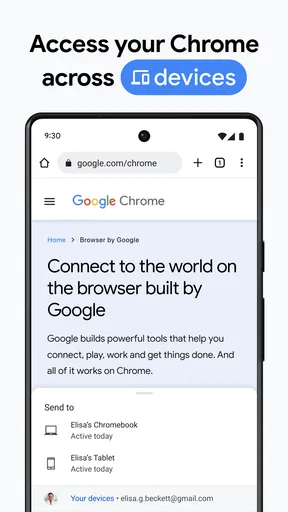
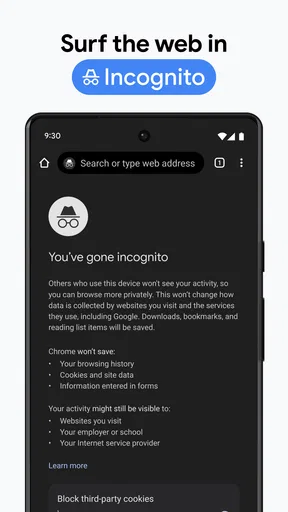
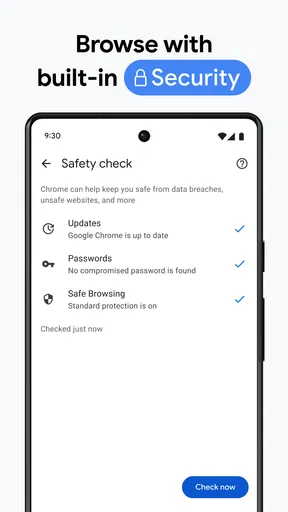
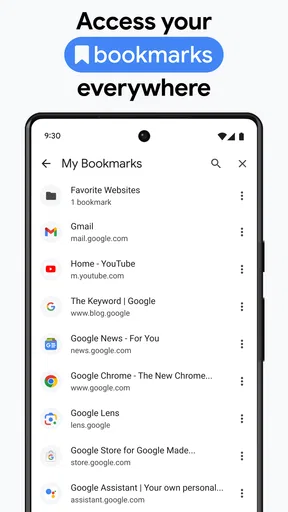
 Analysis by AppCompare
I approached Chrome Beta as a working browser rather than a novelty app. That distinction matters because a beta browser can feel exciting during the first few days, yet become frustrating if it creates extra maintenance in an everyday routine. My experience was most positive when I treated it as a place to test Chrome’s developing direction, not as an automatic replacement for every stable browsing session.
It is a free productivity app from Google LLC for Android, with an Everyone age rating. The app has been available since December 12, 2012, and its current version is 153.0.8010.5. Those details place it firmly in the category of an established mobile browser with an experimental channel, rather than a small independent project that might disappear after a short trial.
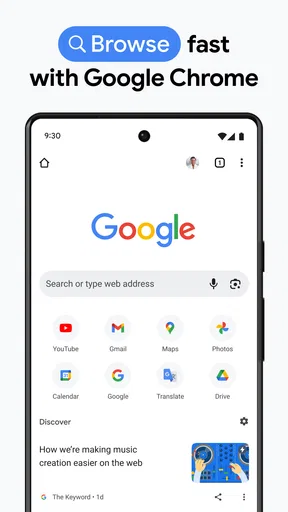
The first impression is familiar: pages open in the Chrome environment, the interface is recognizable, and the basic act of searching or visiting a website feels uncomplicated. That familiarity is the main reason I could start using it quickly. I did not need to relearn the general browser workflow before judging whether the beta channel suited me.
What remains useful after the first week
I find that Chrome Beta’s usefulness after the first week depends on whether I keep a clear reason for using a preview browser. In this section, I would look at how that purpose holds up in ordinary routines and how to tell the difference between a temporary curiosity and a genuinely useful second browsing option.
The initial appeal is convenience with a testing angle
During the first week, Chrome Beta appealed to me because it combines the everyday shape of Chrome with the possibility of seeing changes before they reach the regular release. For someone who already understands Chrome’s layout, that lowers the entry cost. I could focus on how the browser behaved instead of spending time learning a completely different navigation system.
The store summary describes it as the speed and simplicity of Chrome on an Android device in beta, and that is a fair way to understand its role. I would not install it expecting a separate productivity suite or a browser packed with unrelated tools. Its value comes from making web access part of a familiar mobile workflow while giving interested users a preview-oriented option.
In a realistic weekday scenario, I might use it to open a work document, check a delivery update, compare two product pages, and return to a saved article during a commute. The important benefit is not a dramatic feature reveal in each session. It is the reduced friction of moving between ordinary web tasks without changing habits every time. The best first-week test is not “does it look new?” but “does it make my normal browsing routine easier?”
Worth Reading Before You Choose

Flipboard Shows What News Apps Must Do Beyond the Feed

Switching to Android Auto Means Rethinking Your Driving Routine

Google Calendar Makes a Crowded Week Easier to Manage

Ludo King Makes the Most of the Minutes Between Plans

Baby Panda World Brings Quick Play to Modern Phones, but Its Game Library Feels Busy

ESPN’s Live Game View Makes Following Close Games Easier
I also found that a beta browser is useful when I want to notice interface changes before deciding whether they belong in my long-term habits. A person who follows browser development, tests websites, or simply enjoys trying upcoming changes may get more from this channel than someone who wants every screen to remain predictable.
Why the familiar Chrome approach helps
Chrome Beta benefits from the expectations people already bring to Chrome. Search, address entry, page navigation, and the general browser logic do not feel like an entirely new system. That matters on a phone, where a small screen makes unfamiliar controls more tiring than they might be on a desktop.
For me, the strongest everyday advantage was continuity of behavior. When I opened a page from another app, I could approach it with the same basic assumptions I use in Chrome. That makes the browser a practical candidate for quick research, reading, shopping comparisons, and opening links from messages rather than a tool I would reserve for special experiments.
Still, familiarity should not be confused with perfection. A browser can feel comfortable while individual pages remain awkward because of mobile layouts, heavy advertising, sign-in requirements, or websites designed mainly for larger screens. Chrome Beta cannot remove those problems simply by being a beta release. Its job is to provide the browsing environment, not to repair every website.
Who should try it first
I would recommend it to Android users who already like Chrome and want a preview channel without abandoning a familiar browser style. It is also a sensible choice for people who test websites or care about how upcoming browser behavior may affect their daily browsing. Since it is free, trying it does not require a purchase decision, although the real cost is time spent noticing and adapting to changes.
The audience is narrower if you need a browser that behaves identically every day. Someone who uses a phone mainly for essential banking, travel check-ins, work portals, or other tasks where surprises are unwelcome may prefer the regular stable Chrome release or another established browser. A beta channel is not automatically unsafe or unusable, but predictability is more important than novelty when a browser is part of your essential routine.
Month-to-month value, maintenance, and fatigue
Over time, I judge Chrome Beta less by the novelty of change and more by the attention it asks me to give it. This section considers whether that recurring effort still feels worthwhile, and leads into the practical signs that the app is becoming maintenance or fatigue rather than a helpful part of my routine.
Recurring value depends on your reason for staying
After the novelty fades, Chrome Beta has to justify its place through repeated usefulness. In my view, it succeeds when I value early access to browser changes or want a separate environment for testing. It is less compelling when I only want a dependable tool for opening pages, because the stable version of Chrome already covers that basic need for many Android users.
This is the central trade-off. The beta channel can make sense as a companion to a stable browser, especially if you want to compare behavior or check whether a website works with an upcoming Chrome direction. It does not necessarily earn permanent status as the only browser on a phone simply because it is familiar and free.
One practical workflow is to keep the stable browser for important tasks and use Chrome Beta for experimentation, website checks, and ordinary browsing when you are comfortable with change. That arrangement gives the beta version a clear job. Without a defined purpose, it can become an extra app that occupies attention while offering little difference in routine use.
The app’s broad adoption suggests that many people find the Chrome experience useful. It has an average rating of 4.4 from around 609 thousand ratings, and it has passed 50 million installs. I read those figures as evidence of substantial interest, not as a promise that every user will enjoy the beta channel equally. Popularity can confirm that the app is worth examining, but personal tolerance for changing behavior remains the deciding factor.
How much maintenance does it create?
The maintenance burden is mostly mental rather than complicated setup. I need to remember that this is a preview-oriented browser, pay attention when the interface changes, and avoid assuming that every new behavior will remain permanent. If I use it for testing, I also need to repeat tasks and compare results instead of treating one unusual session as a final judgment.
That extra attention is manageable for curious users. It becomes tiring when I only want to open a link quickly and move on. A beta app asks for a small amount of patience because its purpose includes change. Even when the browser works well, the possibility of adjustment is always part of the bargain.
My advice is to give it a defined review period and a specific checklist. I would test the pages I use most, including work services, shopping sites, reading pages, and any sign-in flow that matters to me. I would also decide in advance which tasks must remain in a stable browser. This prevents a common mistake: judging the app only by its first exciting session or only by one annoying incident.
Another useful habit is to avoid moving every browser routine into the beta channel immediately. Start with low-risk browsing, then add more important tasks only if the experience remains comfortable. This makes the switch reversible and keeps one experimental browser issue from disrupting the rest of the phone.
Where fatigue begins
The main source of fatigue is the tension between familiarity and change. I may recognize the Chrome environment, yet still encounter a modified interaction or a behavior that requires a new habit. That can be interesting when I am deliberately testing the browser, but irritating when I am trying to complete a simple task under time pressure.
Another source of fatigue is duplication. If I keep both a stable browser and Chrome Beta, I must remember which one contains a particular session or which browser I intended to use for a link. The arrangement can be valuable, but it is not free of organizational friction. People who dislike maintaining parallel apps may find the extra choice more annoying than useful.
There is also a psychological cost to judging a beta product. I become more alert to small inconsistencies, because I am watching for signs of change. That mindset is helpful for testers but unnecessary for someone who wants browsing to disappear into the background. A stable alternative is better when the browser should feel invisible.
Chrome Beta compared with common alternatives
Compared with the regular Chrome app, Chrome Beta offers a more preview-focused experience while retaining the Chrome identity. The stable app is the better fit for users who prioritize settled behavior and do not need early access. Chrome Beta is the more interesting option for people who want to see what may be coming and are willing to tolerate occasional adjustment.
Compared with privacy-first browsers, its attraction is not the same. A privacy-oriented alternative may be preferable if your first question is how aggressively the browser limits tracking or how much control it gives over privacy behavior. I would not choose Chrome Beta solely because it is popular or familiar if privacy tools are the deciding factor.
Compared with lightweight browsers, Chrome Beta is also not automatically the best choice for older or constrained devices. A simpler browser may feel more appropriate when the goal is minimal interface overhead and basic page access. Chrome Beta makes more sense when the Chrome ecosystem and preview channel matter more than having the smallest possible browsing experience.
Compared with browsers built around customization, it may feel restrained to users who want to reshape every part of navigation. In my experience, the important question is not which browser has the longest feature list. It is whether the browser’s design matches the way I actually read, search, sign in, and return to pages throughout the month.
Questions I would answer before installing
Would I use it as my only browser? For casual browsing, possibly. For essential tasks, I would keep a stable option available until I had tested the pages that matter most. The beta label changes the risk calculation even when the familiar Chrome design makes the app feel dependable.
Is it suitable for a child? Its content rating is Everyone, but that does not replace normal family supervision. The rating describes the app’s general age suitability; it does not mean every website reached through a browser is appropriate for every child.
Does free mean there is no trade-off? There is no purchase price, but I still pay with attention. I need to accept changing behavior, decide whether the preview value matters to me, and spend time checking important workflows. For a curious user, that is a fair exchange. For someone who wants zero maintenance, it may not be.
Should I install it if I am not interested in testing? I would say only if Chrome’s familiar browsing experience is the main reason you want it and you are comfortable with the beta nature. If you want a settled browser and have no interest in preview changes, the regular release is the more logical choice.
Does it have lasting value? Yes, but not for everyone. Its long-term place is strongest as a companion browser for testing, early exploration, or users who genuinely prefer living slightly ahead of the stable release. It is weaker as a permanent installation chosen without a clear reason.
My long-term verdict
Chrome Beta earns space on my phone when I give it a job beyond “another Chrome.” That job might be checking how a website behaves in an upcoming browser environment, exploring changes before they become standard, or keeping a separate place for less critical browsing. With that purpose, the app remains useful after the first week rather than fading into the background as a redundant icon.
I would skip it if my priority is absolute routine stability, minimal maintenance, or a browser built around a different philosophy such as stronger privacy controls or a lighter interface. The fact that it comes from Google LLC and has been used widely does not remove the basic beta trade-off: early access is valuable only when I am willing to live with some uncertainty.
My final recommendation is measured. Install it if you enjoy testing, already understand Chrome, and can keep important tasks in a stable fallback while you evaluate it. Use a short, deliberate trial instead of moving everything at once. If the preview aspect stops being interesting and the app does not improve your regular browsing habits, remove it without guilt.
For me, the lasting value is real but specialized. Chrome Beta is best viewed as a practical preview tool that can also handle everyday browsing, not as a mandatory upgrade for every Android user. That honest framing makes its strengths clearer, keeps the maintenance burden manageable, and helps the app earn its place through repeated usefulness rather than first-week curiosity.
Pros
- Try upcoming Chrome features before they reach the stable release.
- Useful for testing websites and reporting bugs to Google.
- Sync bookmarks
- passwords
- and tabs with your Google account.
- Usually more stable than Chrome Dev or Canary versions.
- Supports Chrome extensions and familiar browser tools.
Cons
- Beta updates may introduce crashes
- glitches
- or unexpected behavior.
- Some experimental features can be removed without notice.
- May use more battery or memory than the stable Chrome version.
- Not ideal as the only browser for critical daily tasks.
- Requires frequent updates to maintain security and compatibility.
FAQs for Chrome Beta
What is Chrome Beta, and how is it different from the regular Chrome app?
Chrome Beta is a test version of Google Chrome for Android that includes features and improvements before they reach the stable release. It offers an early look at upcoming changes, performance updates, and interface experiments. However, because it is still being tested, you may occasionally encounter bugs, crashes, unfinished features, or changes that are later removed.
Is Chrome Beta safe to download and use for everyday browsing?
Chrome Beta is an official Google application distributed through legitimate app stores, so it is generally safe to install when downloaded from the Google Play Store. It includes Chrome’s standard security protections, such as Safe Browsing and site isolation. Nevertheless, the beta nature means it may be less reliable than stable Chrome, so users who need maximum consistency should consider the regular version.
Can I use my Google account and synchronize data in Chrome Beta?
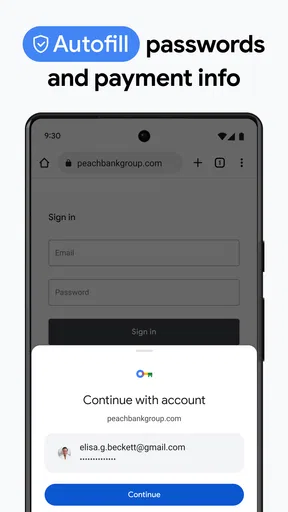
Yes, Chrome Beta supports signing in with a Google account and can synchronize information such as bookmarks, browsing history, passwords, payment details, settings, and open tabs, depending on the options you enable. Before activating synchronization, review the settings carefully, especially on shared devices. Features and synchronization behavior can occasionally change while Google tests new versions.
Will Chrome Beta work with all websites, extensions, and Android features?
Chrome Beta is designed to support modern websites and the same major web standards as the stable Chrome browser, so most pages should work normally. However, experimental changes can sometimes cause compatibility problems with particular websites, media players, web applications, or device features. Android extensions are also limited compared with desktop Chrome, and beta releases may introduce temporary restrictions.
What should I do if Chrome Beta crashes or causes browsing problems?
If Chrome Beta becomes unstable, first update it through Google Play, restart the device, and close unnecessary background applications. Clearing the app cache may also help, although clearing storage can remove local browser data if it is not synchronized. You can report issues through Chrome’s feedback option. For dependable browsing, keep stable Chrome installed or switch back to it temporarily.


